
Subheader
 Last updated on June 23, 2026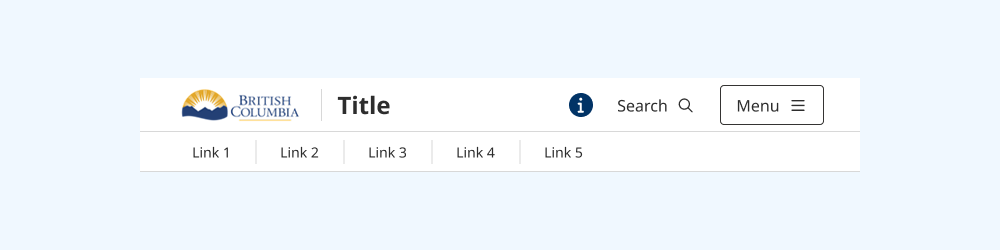
The subheader displays additional navigation options in a secondary menu.
On this page:
How to use this component
The subheader provides an additional, secondary navigation menu. It is designed to be used in conjunction with the header.
Use the subheader:
- When your product or service has many navigation options
- To differentiate between primary calls to action (commonly shown in the header navigation area) and secondary or less important options
Structure and behaviour
Anatomy
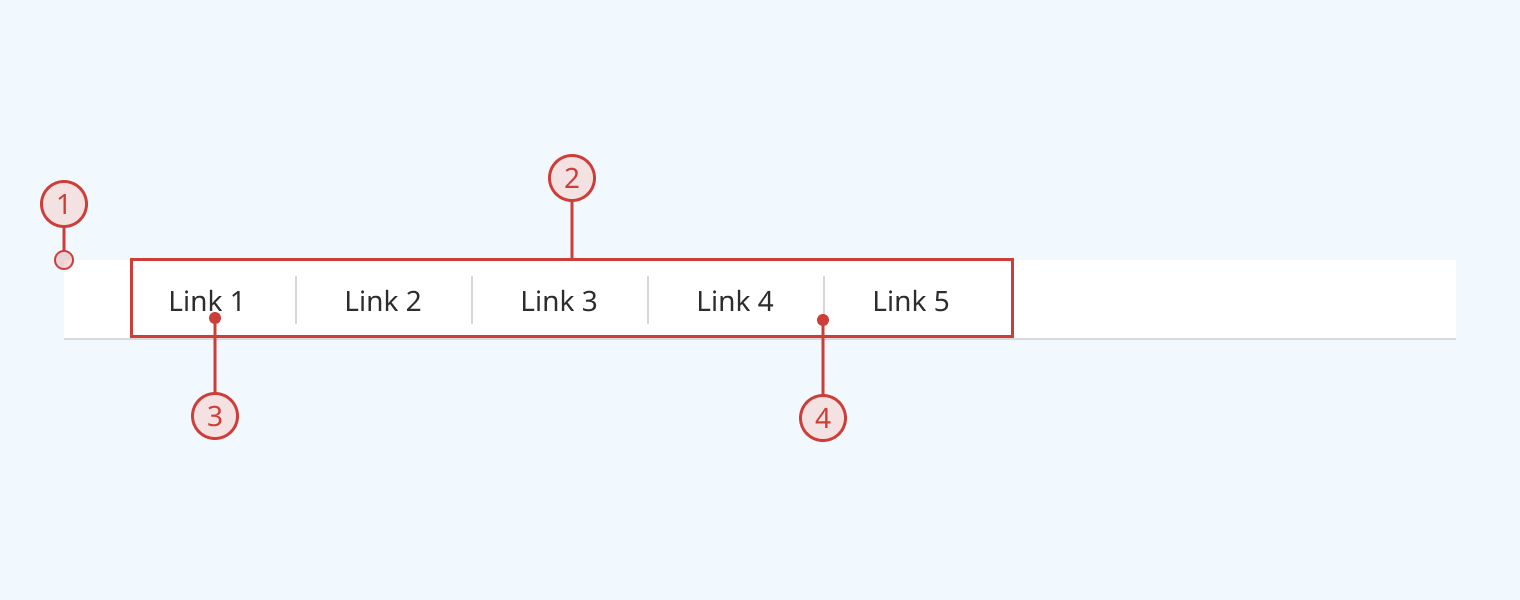
- The subheader has padding that aligns with the layout of the header component
- It has a solid border on the bottom to visually separate it from content below
- Child items are rendered as a semantic list, arrayed horizontally
- Focus order moves through the list from left to right
- Individual navigation items can be links, buttons, menus or other components
- Vertical dividers are automatically rendered between each item to create clear visual separation
Design guidance
Design system components are published in a Figma library. Install the library and add it to your project to start using this component.
The subheader renders as a horizontal bar. You can populate it with child elements (commonly links, buttons and/or menus.) A visual separator is automatically displayed between each menu item, to create clear separation.
The subheader should be rendered at the top of the screen, immediately below the header. The header and subheader form a contiguous navigation area. If you are also using an alert banner, it should be positioned either above the header or below the subheader.
Technical information
Detailed technical documentation, interactive previews and code samples are published in the B.C. Design System Storybook.
A reference implementation of the menu component in React is published in the React components library. Install the package via npm to start using the component.
The subheader renders a <div> containing a <nav> element. This means it has the implicit ARIA "navigation" role. Individual child items are rendered as a semantic list.
Use the 'size' prop to adjust the vertical padding and gap between items. Currently, the size prop does not propagate to child items. Ensure that you adjust the sizing of individual navigation/menu items to maintain proportionality.
Accessibility
These summaries reflect the component used as provided. If you modify it, confirm that your changes comply with the Web Content Accessibility Guidelines (WCAG). B.C. government digital services are required to meet the WCAG Level AA standard.
| Requirement | WCAG Success Criterion | Validation |
|---|---|---|
| Use responsive design to avoid losing content or context | 1.4.10 (Level AA) |
Subheader content reflows as viewport size decreases |
| Make websites keyboard accessible | 2.1.1 (Level A) |
Subheader is navigable and operable via keyboard, with visual indicators for focused children |
| Prevent keyboard navigation traps | 2.1.2 (Level A) |
Subheader has no keyboard traps |
| Ensure content reads in the right order for people using assistive technology | 2.4.3 (Level A) |
'Tab' key moves focus state through subheader children from left to right |
| Show where the keyboard is active on the screen | 2.4.7 (Level AA) |
Focused children are indicated with a visible border |
| Ensure user interface components behave predictably | 3.2.1 (Level A) |
Subheader elements like menu items do not activate on focus, but when the user presses the enter key |
| Use consistent navigation | 3.2.3 (Level AA) |
Subheader content should remain consistent across all usages (configuration-dependent) |
| Make sure components can be read and used by assistive technology | 4.1.2 (Level A) |
Subheader is semantically identifiable as a <nav> element |