
Using The Portal
 Last updated on September 14, 2026
On this page
Applicant Information
Applicants can view:
- Organization information
- Previous applications submitted to the program
- Application status
- Contact information
- Address information
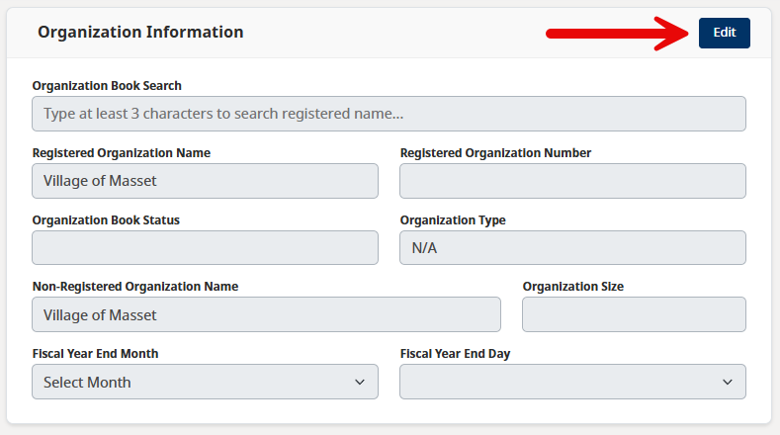
Organization Information
Applicants can select Edit to update their personal or organization information.
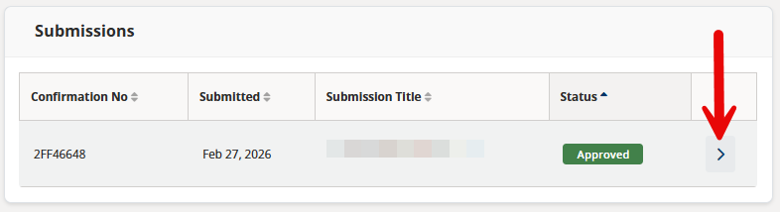
Submissions
Select the arrow next to a submission. The form will open in a new tab on another government website. Applicants must sign in to view it.
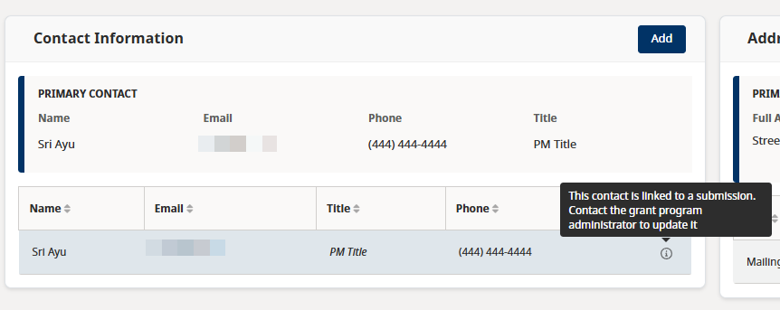
Contact Information
The Contact Information section shows contact details from submitted forms, when available. Applicants cannot update these details because they are part of a submitted form.
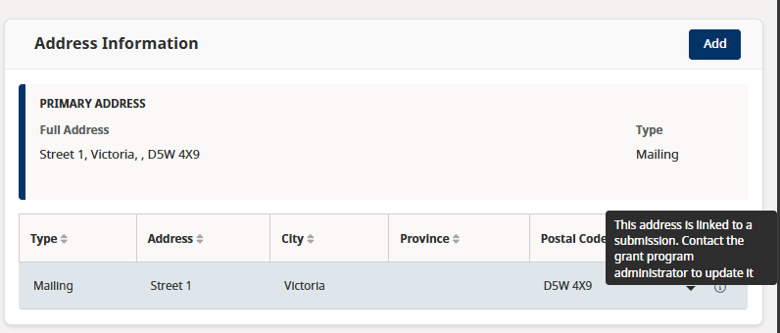
Address Information
The Address Information section shows addresses from submitted forms, when available. Applicants cannot update these addresses because they are part of a submitted form.
Payments
This menu is optional. Each program workspace may be set up differently, so this menu may not appear for every program.
On this page, applicants can view payments for their submissions. Payment amounts are shown in Canadian dollars. Dates and times use the local time in Vancouver, British Columbia.

Support
If your information does not display correctly in the Enterprise Grant Management Portal, contact the program by email. You can find the program’s contact information on its website.