BC Bid Portal, login, and registration for Ministry Buyers
 Last updated on May 11, 2026
Your BC Bid journey starts with the Public Portal.
New ministry staff will need to register in BC Bid. Follow the instructions for registration below.
BC Bid Portal
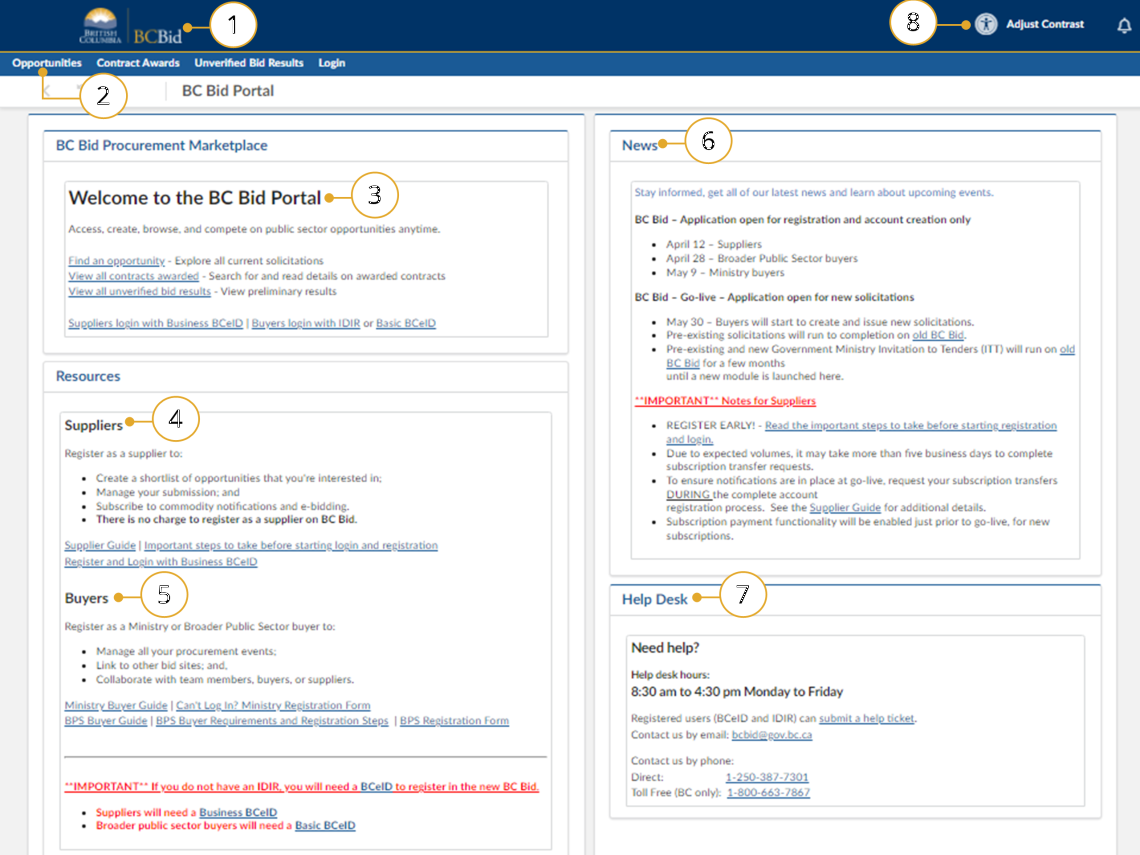
Buyers should log in from the Public Portal at https://www.bcbid.gov.bc.ca
Click to enlarge image
- Click the BC Bid icon at any time to return to this main page.
- The main menu has direct links to Opportunities, Contract Awards, Unverified Bid Results and Login.
- The Welcome box display a welcome message and quick links.
- Suppliers see the benefits of registration and can follow links to prepare for registration, to register, login and access their Supplier Guide for navigation support.
- Buyers can link to register login and access their navigation guides.
- News and upcoming events will be posted here.
- Help Desk contact information including a link to the ticket system.
- This icon has shifted to now be located in the top right hand corner of the page. Adjust contract here.
You can find more information about the Public Portal in the Public Portal Guide.
Login
Click to enlarge image
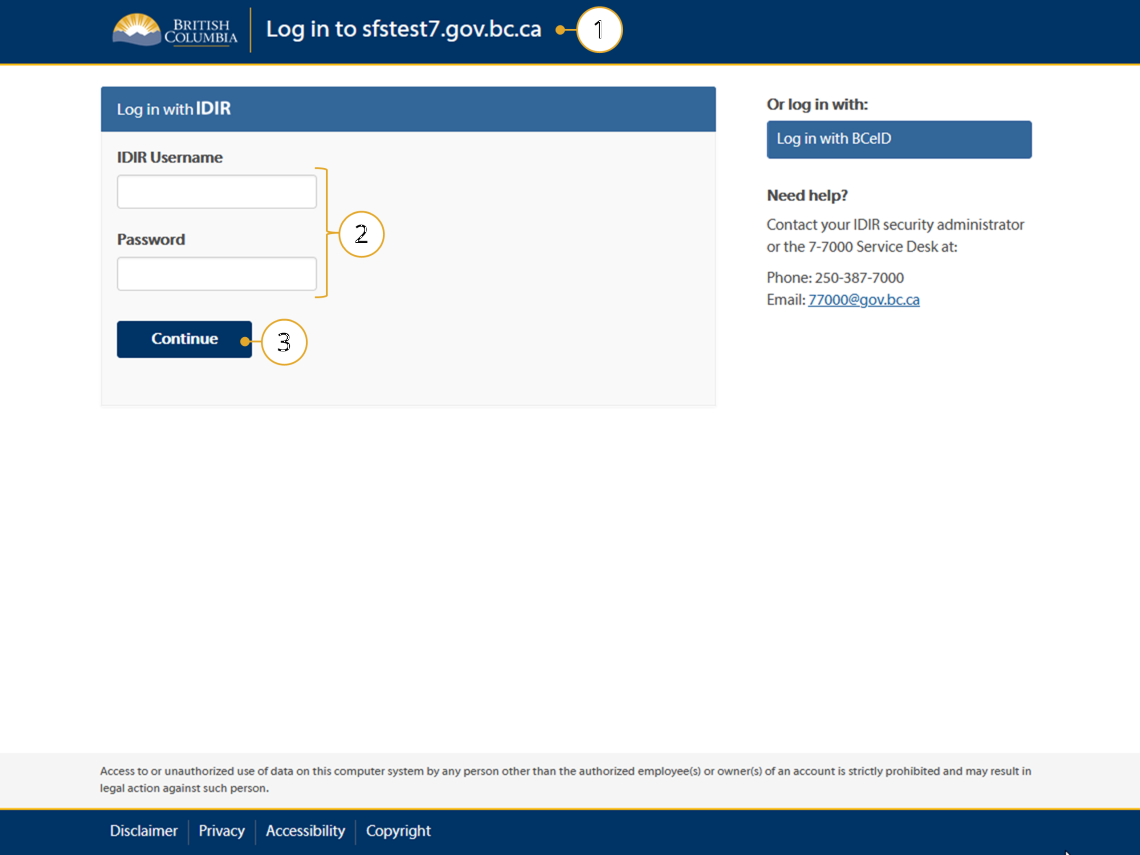
1. Navigate to BC Bid and click on a login link to see the Login Screen.
2. Enter your IDIR Username and Password.
3. Click Continue.
Note: You will be directed to the Buyer Dashboard.
Note: If you are a Ministry contractor with a BCeID, click Log in with BCeID.
Registration
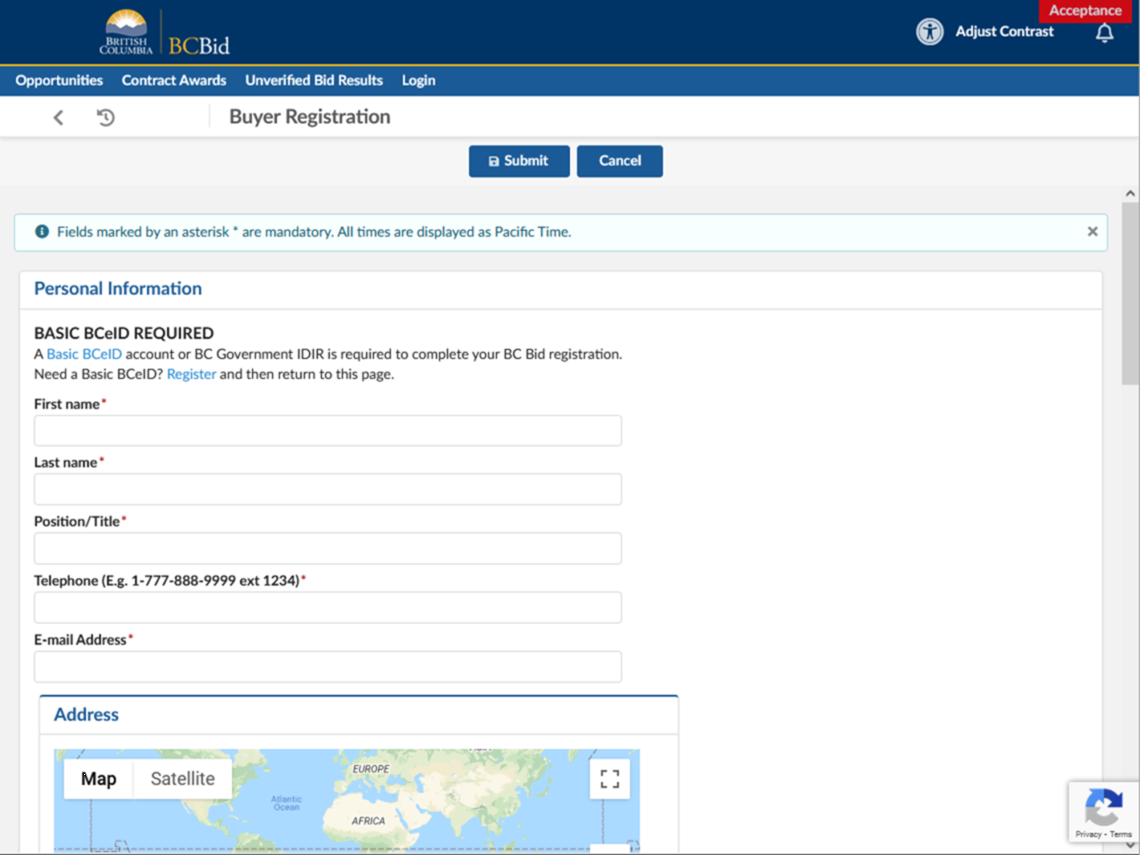
New to BC Bid? First, confirm that you have a functioning IDIR. Next, fill out and submit the Buyer Registration Form and the BC Bid Help Desk will review your registration. It may take up to 3 business days before your registration is processed and you are able to login.
Note: If you have registered for BC Bid and have certain permissions (eg: purchasing permissions), and you switch organizations, ministries, or roles, you will need to contact the BC Bid help desk to arrange permissions for the new role.
There are a few situations where you may not be successful logging in after previously registering. Please contact the Help Desk if:
- You have a new role in the B.C. government;
- Your name has changed; or
- You are a contractor with a new IDIR or BCeID.
Click to enlarge image
Contractor Accounts
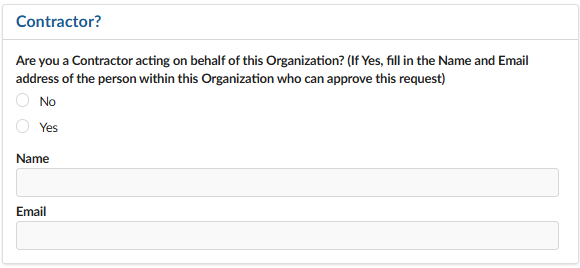
1. Contractors only need one IDIR or BCeID to create an account in BC Bid and post on behalf of ministries. They should register for a BC Bid account under one ministry they provide support for.
To post on behalf of a ministry, the contractor can register using:
- An existing IDIR if they have one, or
- A Basic BCeID
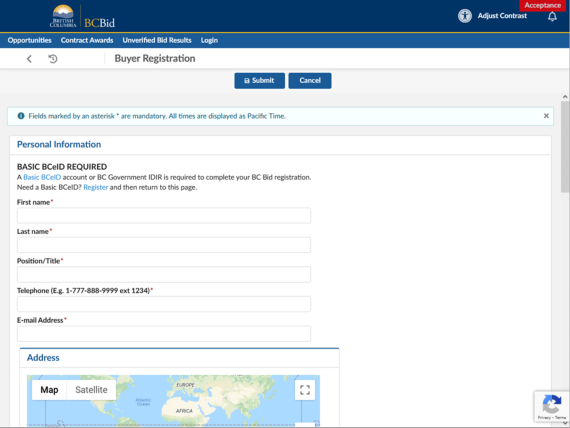
2. Once the BCBid account is active, the contractor needs to contact the BC Bid Help Desk to request access to any other organizations they support.
The Help Desk will:
- Request approval from the organizations identified
- Provide the requested access to the contractor
Note: As an alternative, at the sourcing project level, would be to give registered users access to only that opportunity. Users added in this way wouldn't have a view into any other buyer portal opportunities.